> ## Documentation Index
> Fetch the complete documentation index at: https://support.contenta.ai/llms.txt
> Use this file to discover all available pages before exploring further.
# Usage
> Track available credits, review usage history, and monitor how platform features consume your monthly allowance.
The [Usage](https://www.app.contenta.ai/en/dashboard/settings/usage) section helps you monitor your available credits, understand how they are spent, and track activity across Contenta AI tools and features.
Credits are used when interacting with selected platform features such as content generation, SEO optimization, AI assistance, and other productivity tools depending on your subscription plan.
## To access Subscription & Billing
Log in to your dashboard using your registered email address or connected sign-in provider.
Click Settings in the bottom-left corner of the dashboard sidebar.
Inside the Account menu, choose [Usage](https://www.app.contenta.ai/en/dashboard/settings/usage) to open your credit balance and transaction history.
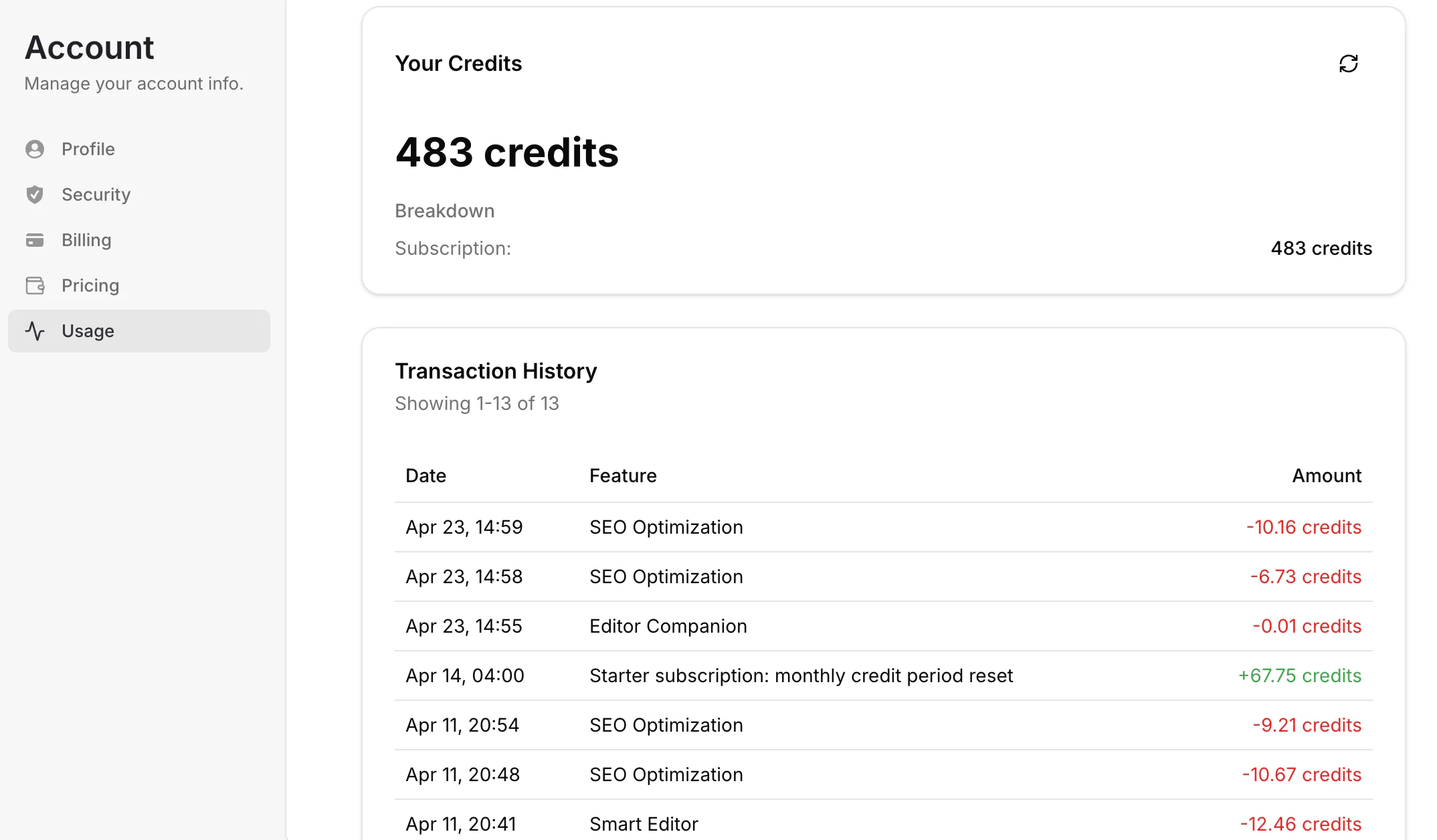
Inside Usage, you can view the following:
* **Available Credits** - See your current remaining credit balance
* **Credit Breakdown** - Understand how many credits come from your active subscription or promotions
* **Transaction History** - Review recent credit usage and top-ups by date and feature
* **Feature Consumption** - See which tools used credits, such as SEO Optimization, Smart Editor, or Editor Companion
* **Monthly Resets** - Track recurring credit refreshes included with eligible plans
* **Usage Trends** - Monitor how quickly credits are being consumed over time
 ## Important notes
* Credit balances may refresh monthly depending on your subscription plan
* Some features consume more credits than others based on complexity or usage volume
* Upgrading your plan may unlock higher monthly credit allowances
Use this section anytime you want to monitor activity, manage credits efficiently, or decide whether to upgrade your plan.
Have a question not covered here? Email the Contenta AI support team at [support@contenta.ai](mailto:support@contenta.ai)
## Important notes
* Credit balances may refresh monthly depending on your subscription plan
* Some features consume more credits than others based on complexity or usage volume
* Upgrading your plan may unlock higher monthly credit allowances
Use this section anytime you want to monitor activity, manage credits efficiently, or decide whether to upgrade your plan.
Have a question not covered here? Email the Contenta AI support team at [support@contenta.ai](mailto:support@contenta.ai)