> ## Documentation Index
> Fetch the complete documentation index at: https://support.contenta.ai/llms.txt
> Use this file to discover all available pages before exploring further.
# Accept MCM Invitation
> Accept the Google Ad Manager access invitation from Contenta AI to activate ad inventory management and start displaying ads on your verified website.
Once you have [added and verified your website](/monetization/add-website), Contenta AI sends a request to manage your ad inventory via Google Ad Manager 360. You need to accept this invitation to give Contenta AI permission to manage and optimize ads on your site. The steps below walk you through finding and accepting the request.
## What you need to do
Look for an email from Google Ad Manager sent by `admanager-noreply@google.com`.
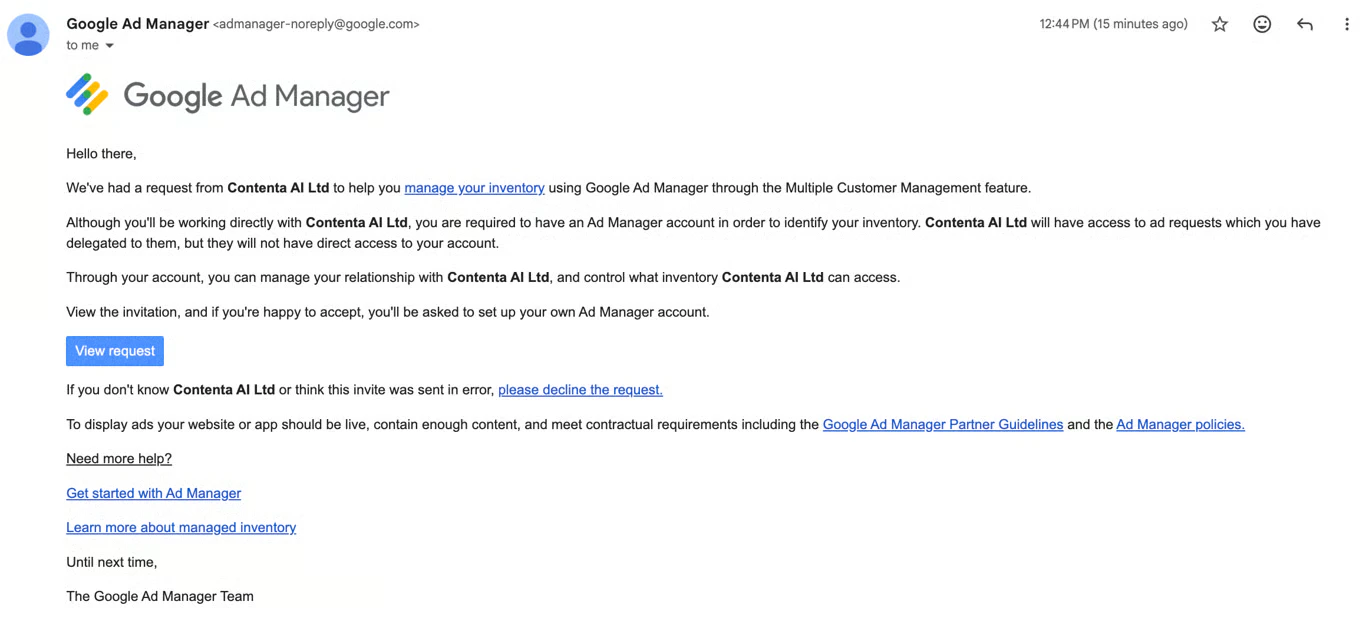 If the email isn't in your inbox, check your spam or junk folder. If you still can't find it, contact [support@contenta.ai](mailto:support@contenta.ai) and the team will help you resend the request.
Open the email with a subject line similar to **"Request to manage your ad inventory"**
Inside the email, click **View request**. This opens the Google Ad Manager interface where you can review the details of the access request.
Review the access details shown on the page, then click **Accept** to complete the setup. Contenta AI will now be able to manage and optimize your ad inventory on your behalf.
## Before ads can display
To display ads, your website or app must meet the following requirements:
* **Live and accessible** - Your site must be publicly available (inc. ads.txt file)
* **Sufficient content** - Your site must contain enough content to qualify for ad serving
* **Policy compliance** - Your site must meet the [Google Publisher Policies](https://support.google.com/admanager/answer/10502938)
Have a question not covered here? Email the Contenta AI support team at [support@contenta.ai](mailto:support@contenta.ai)
If the email isn't in your inbox, check your spam or junk folder. If you still can't find it, contact [support@contenta.ai](mailto:support@contenta.ai) and the team will help you resend the request.
Open the email with a subject line similar to **"Request to manage your ad inventory"**
Inside the email, click **View request**. This opens the Google Ad Manager interface where you can review the details of the access request.
Review the access details shown on the page, then click **Accept** to complete the setup. Contenta AI will now be able to manage and optimize your ad inventory on your behalf.
## Before ads can display
To display ads, your website or app must meet the following requirements:
* **Live and accessible** - Your site must be publicly available (inc. ads.txt file)
* **Sufficient content** - Your site must contain enough content to qualify for ad serving
* **Policy compliance** - Your site must meet the [Google Publisher Policies](https://support.google.com/admanager/answer/10502938)
Have a question not covered here? Email the Contenta AI support team at [support@contenta.ai](mailto:support@contenta.ai)