
Command Palette
Search for a command to run...
6.1 Connect to WordPress
You can connect your WordPress site to publish, manage, and optimize content directly from Contenta AI. This reduces the need to switch between tools and simplifies your content publishing workflow.
Before you start
To connect Contenta AI with WordPress, you’ll need a WordPress Application Password. Application Passwords allow Contenta AI to securely access your WordPress site without sharing your main account password.
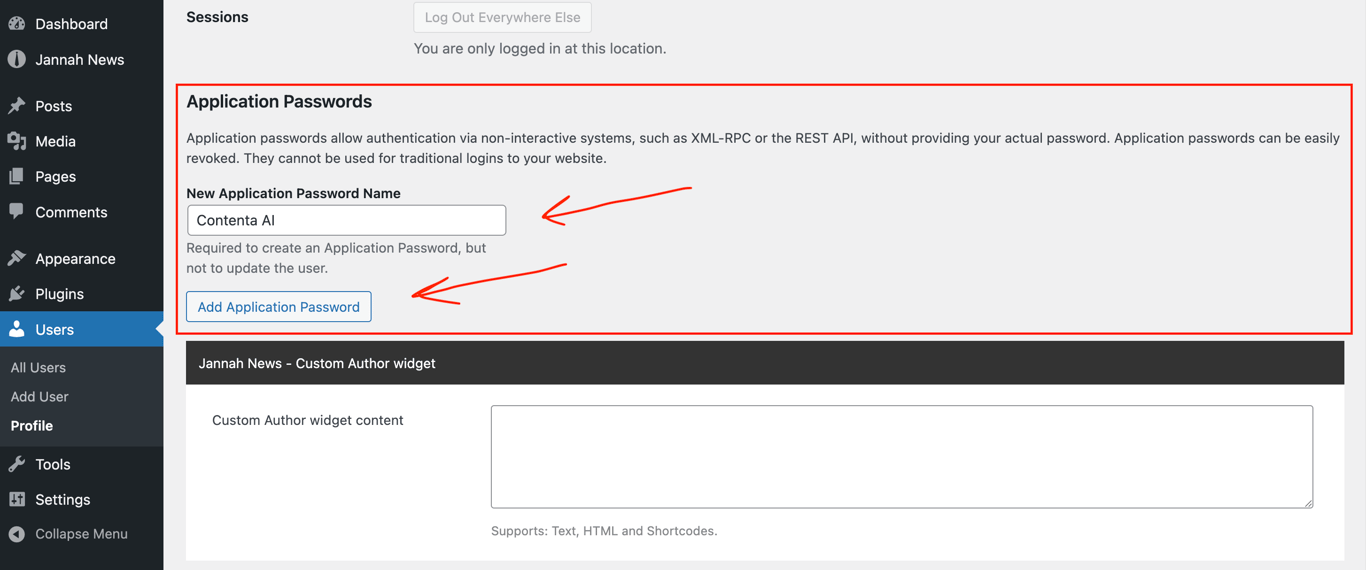
Here are the steps to get an Application Password:
Go to your WordPress Dashboard.
Navigate to Users → Profile (or Users → Your Profile).
Scroll to the Application Passwords section.
Enter an Application Name (for example: Contenta AI).
Click Add New Application Password.
Copy and store the generated password in a safe place
⚠️ Important: Application passwords are shown only once. If you lose it, you’ll need to revoke the password and generate a new one
NB: Make sure the WordPress user you generate the Application Password for has permission to create and publish posts.
How to connect Contenta AI to WordPress
In the main menu, navigate to Integrations.
Locate WordPress under Content Management.
Click Connect Now
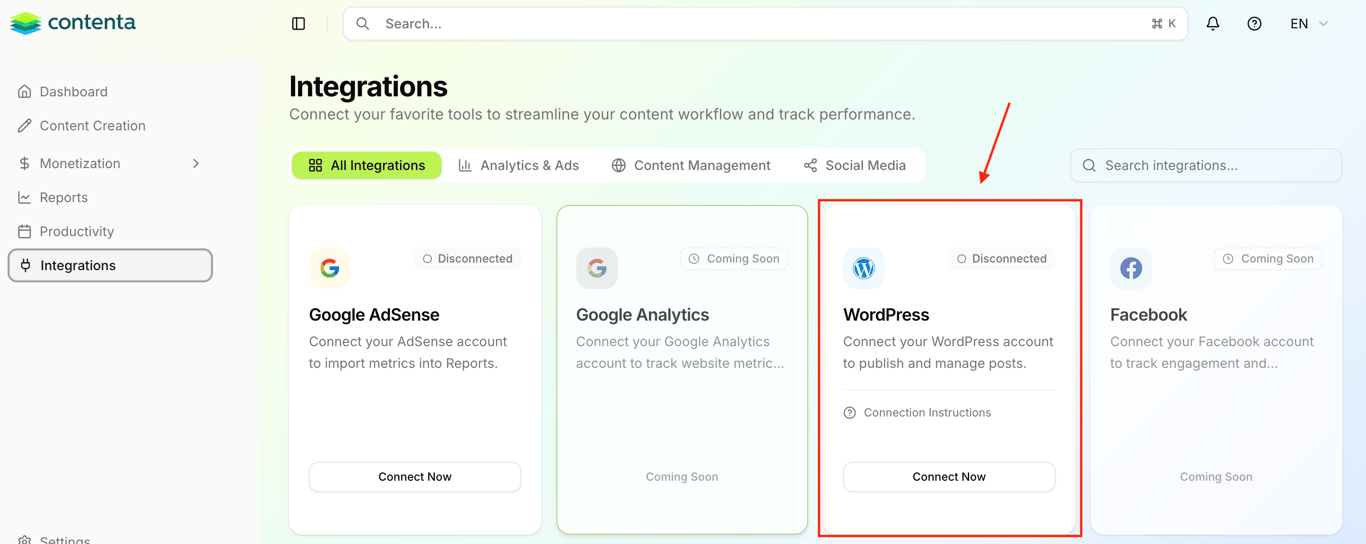
A connection window will open.
Enter your WordPress details
Site URL
Your WordPress website address (e.g.https://example.com)WordPress username
The username associated with your WordPress account & WordPress Application PasswordWordPress Application Password
The application password generated in your WordPress dashboard
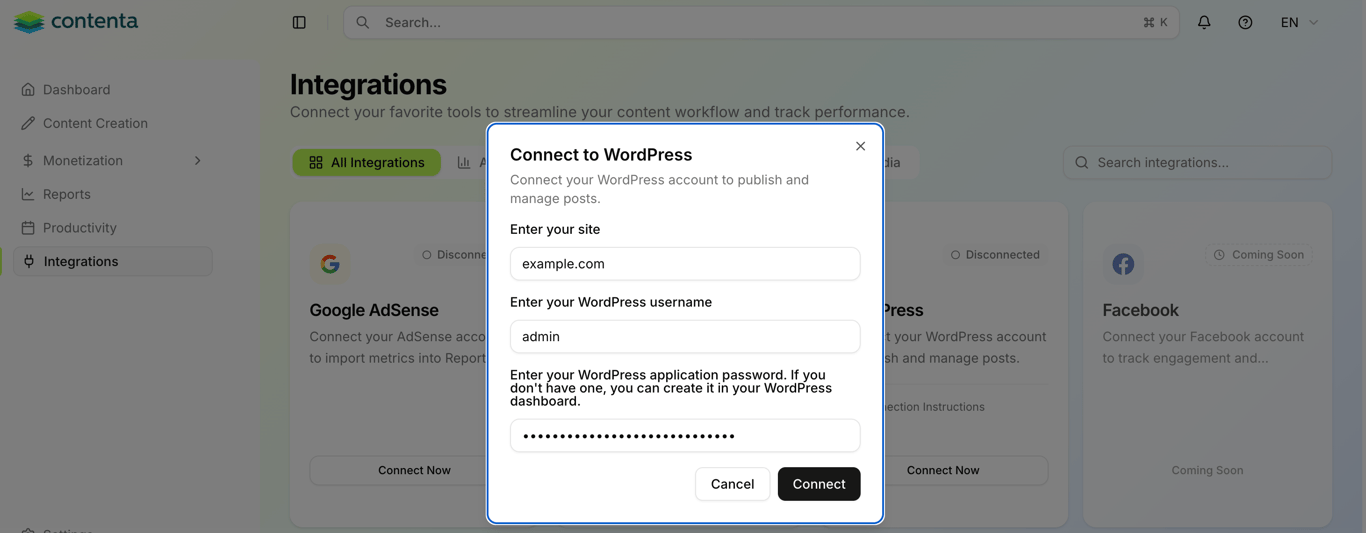
Once all fields are filled in, click Connect.
Once connected, your WordPress integration status will update to Connected, and you’ll be able to send content from Contenta AI directly to your site.