
To close your account
1
Sign in to your Contenta AI account
Log in to your dashboard using your registered email address or connected sign-in provider.
2
Open Settings
Click Settings in the bottom-left corner of the dashboard sidebar.
3
Select Security
Inside the Account menu, choose Security.
4
Click Delete account
Scroll to the Delete Account section at the bottom of the page.
5
Confirm deletion
Type Delete account in the confirmation field and click Delete account to proceed.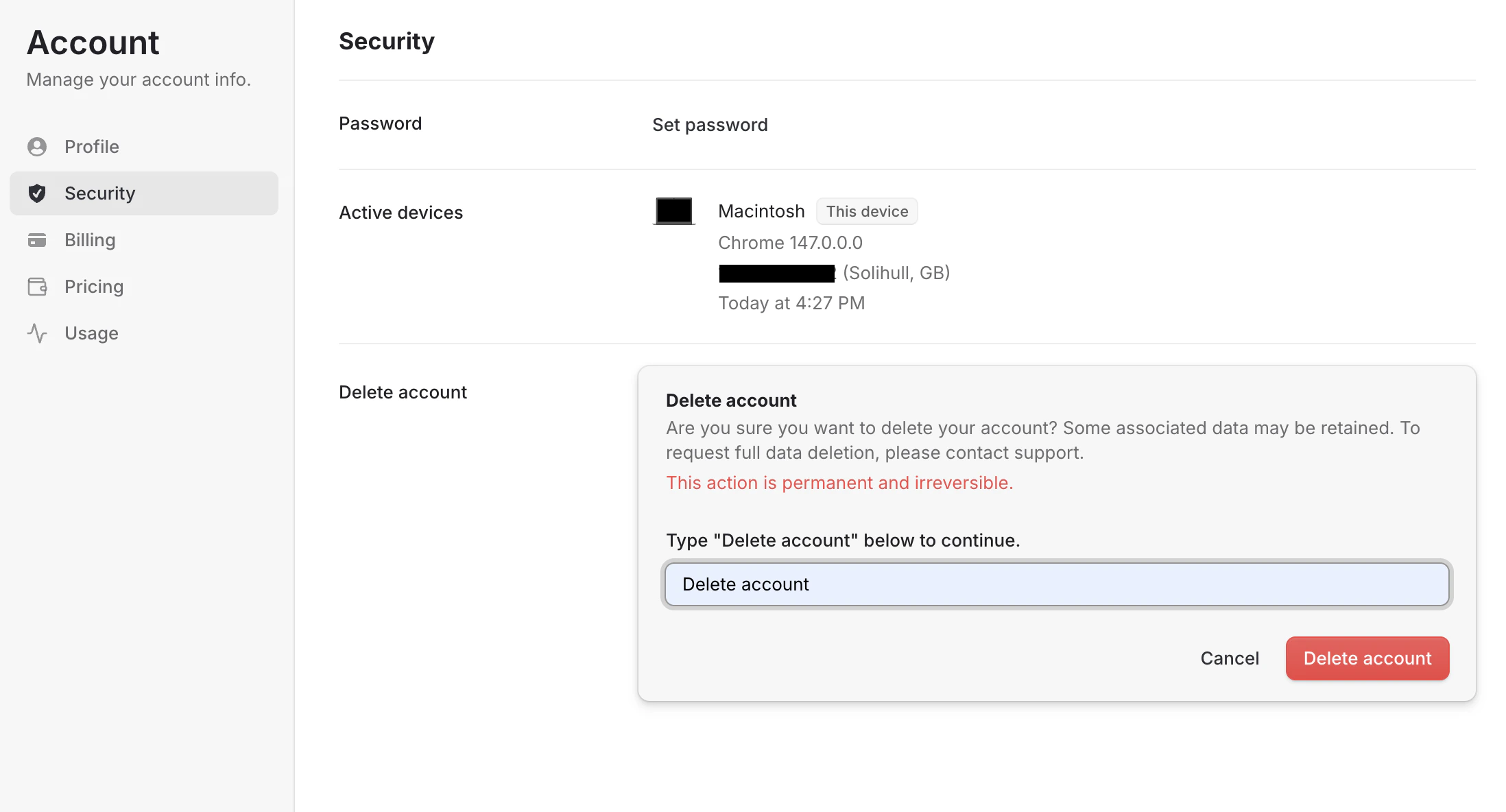
Important notes before deleting your account
- This action is permanent and cannot be undone
- Saved projects, generated content, and settings may be permanently removed
- Active subscriptions should be cancelled first
- Unused credits may be forfeited
- Connected websites or integrations may stop working after deletion
- Some associated data may be retained where required for legal, tax, fraud prevention, or compliance purposes
Need help first?
If you are experiencing billing or technical issues, we recommend contacting Contenta AI Support before deleting your account.Have a question not covered here? Email the Contenta AI support team at support@contenta.ai