
What you need to do
1
Start the registration
In your dashboard, go to the Monetization section and select the Website tab. Click +Add Website to open the registration form.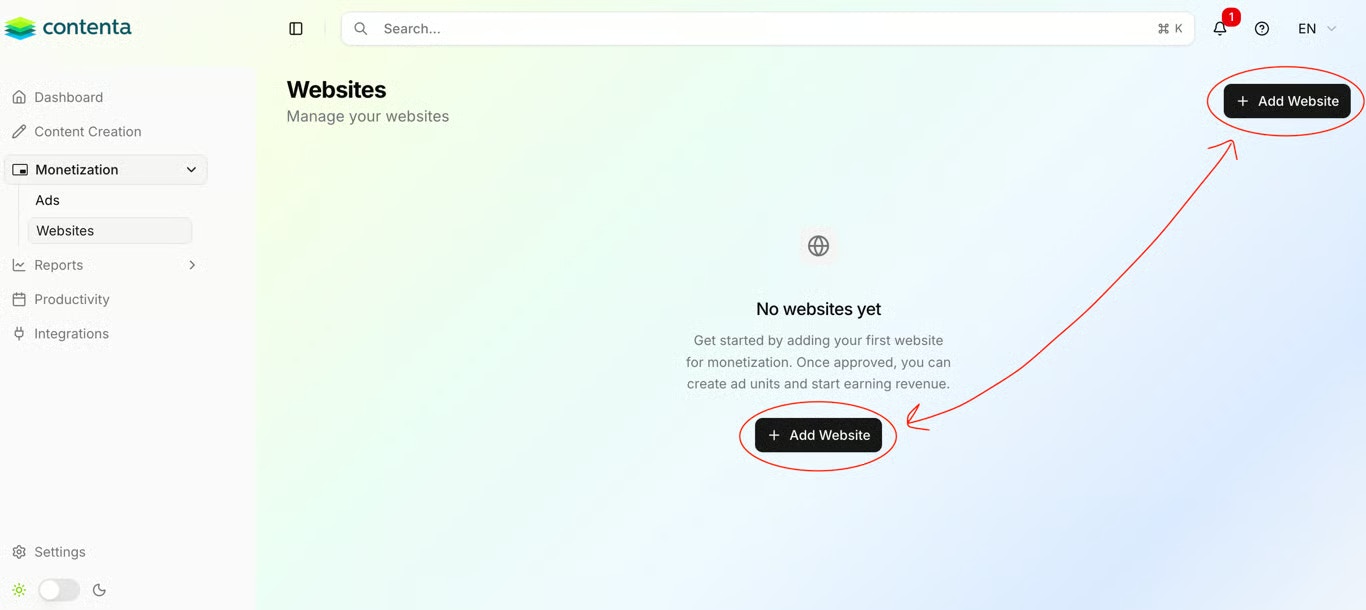
2
Provide website details
Fill in the following fields to help Contenta AI categorize your site and match it with the right advertisers: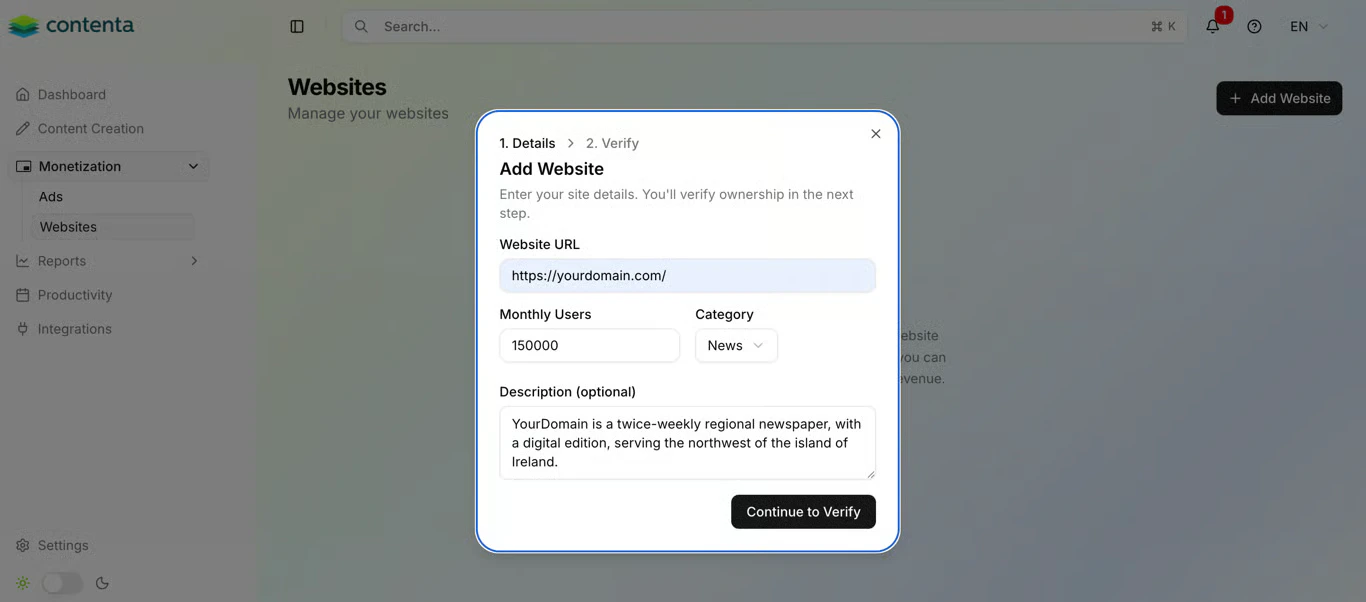
- URL - The full address of your website (e.g.,
https://yourdomain.com). - Monthly Visits - An estimate of your current traffic volume.
- Category - Select the niche that best describes your content.
- Description (optional) - Briefly describe your audience and content focus.
3
Verify ownership
To confirm you own the domain and prevent unauthorized monetization, you must add two lines to your Once the file is saved and publicly accessible at 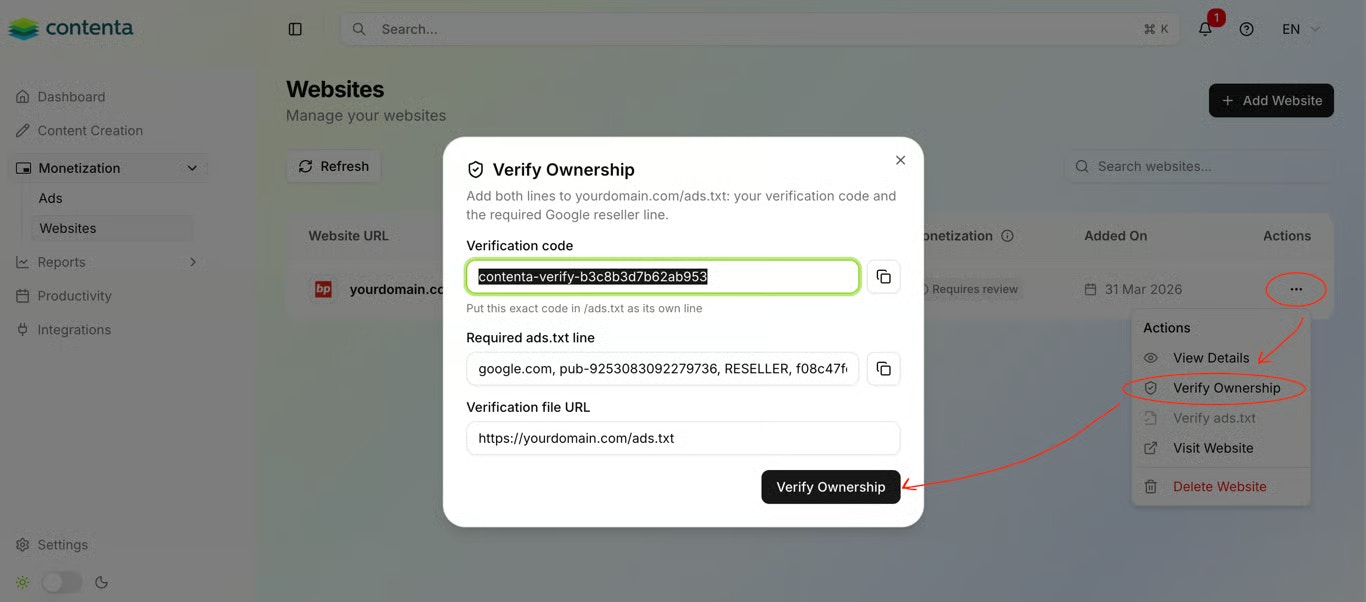
ads.txt file.After submitting your site details, a popup will display your unique verification code and the required ads.txt line. Copy both lines and add them to your ads.txt file, each on a separate row:yourdomain.com/ads.txt, return to Contenta AI and click Verify Ownership. The system checks your file automatically and confirms ownership in seconds.4
Check your ownership status
After submitting, your website appears in the list with a status indicator showing where it is in the verification process:
- Pending - The required records were not found in your
ads.txtfile yet. Check that both lines are present, each on its own row, that the file is publicly accessible atyourdomain.com/ads.txt, and that any recent changes are live (allow time for caching to clear). - Verified - Ownership confirmed. Your website is now one step closer to monetization.
Have a question not covered here? Email the Contenta AI support team at support@contenta.ai