
To access Subscription & Billing
1
Sign in to your Contenta AI account
Log in to your dashboard using your registered email address or connected sign-in provider.
2
Open Settings
Click Settings in the bottom-left corner of the dashboard sidebar.
3
Select Usage
Inside the Account menu, choose Usage to open your credit balance and transaction history.
4
Review your activity and credits
Inside Usage, you can view the following: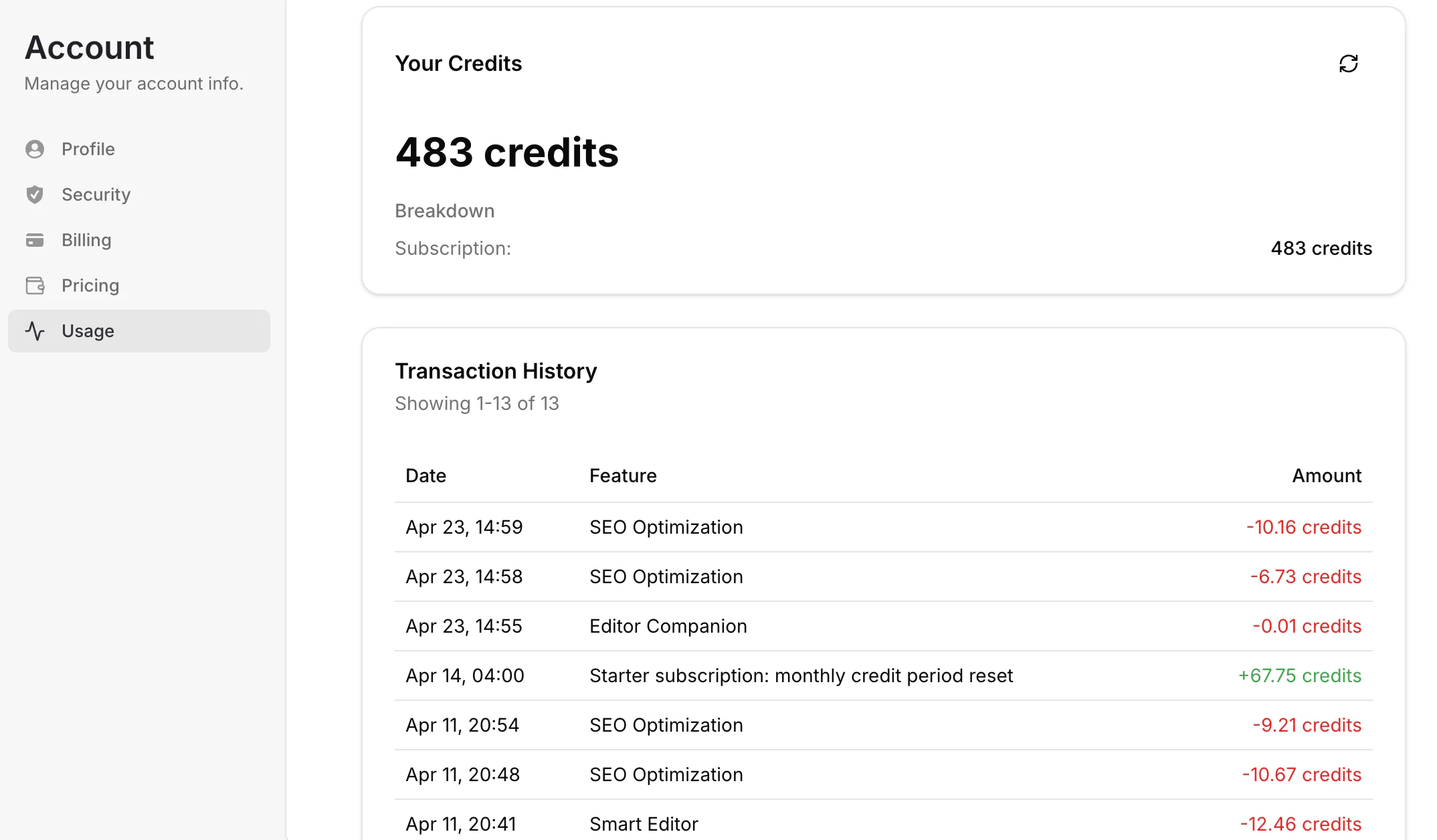
- Available Credits - See your current remaining credit balance
- Credit Breakdown - Understand how many credits come from your active subscription or promotions
- Transaction History - Review recent credit usage and top-ups by date and feature
- Feature Consumption - See which tools used credits, such as SEO Optimization, Smart Editor, or Editor Companion
- Monthly Resets - Track recurring credit refreshes included with eligible plans
- Usage Trends - Monitor how quickly credits are being consumed over time
Important notes
- Credit balances may refresh monthly depending on your subscription plan
- Some features consume more credits than others based on complexity or usage volume
- Upgrading your plan may unlock higher monthly credit allowances
Have a question not covered here? Email the Contenta AI support team at support@contenta.ai