
What you need to do
1
Complete your Google Ad Manager account setup
After accepting the MCM invitation, you’ll be guided through a short setup process in Google Ad Manager to activate monetization.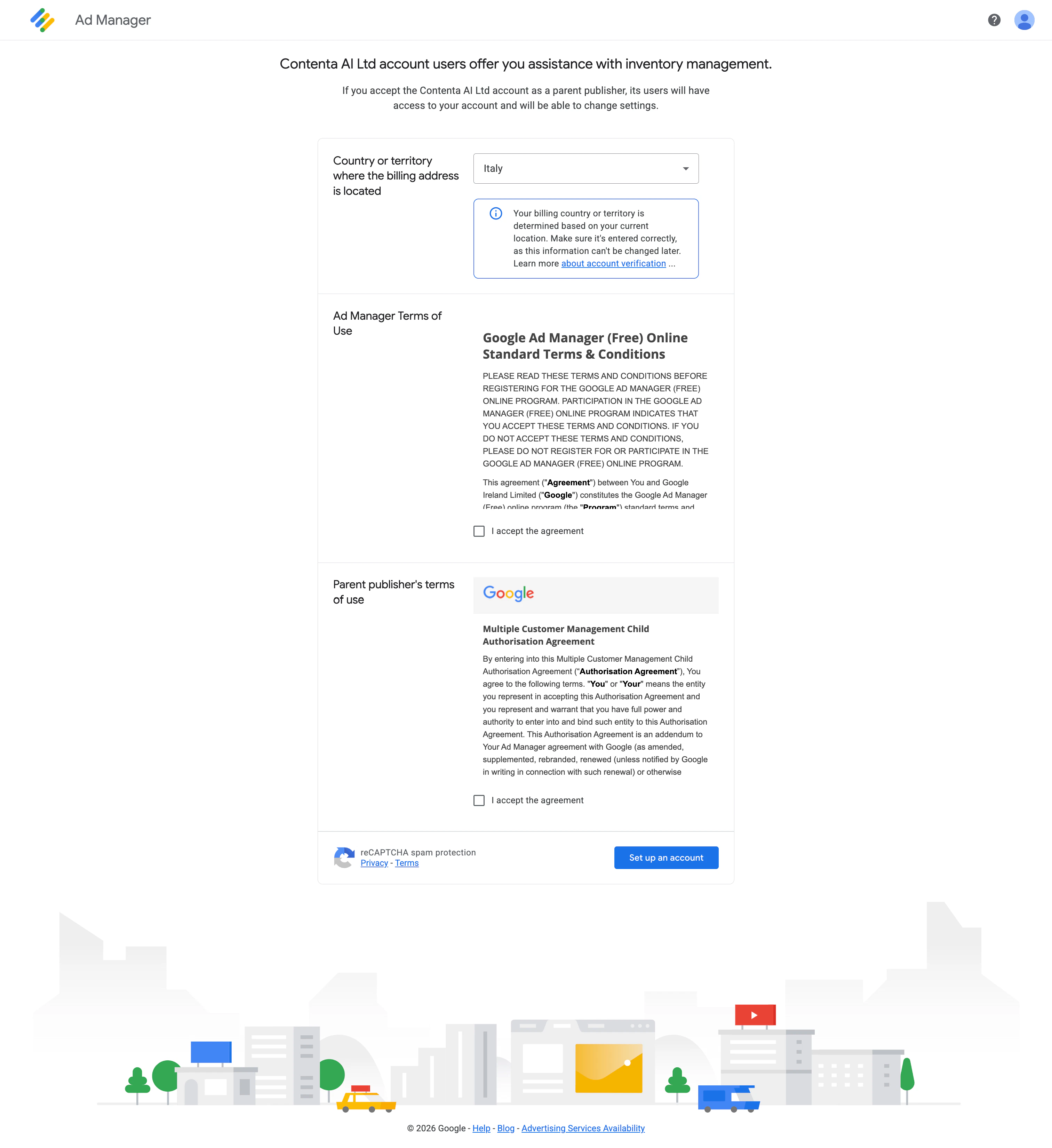
- Select your billing country
- Read the Google Ad Manager Terms of Service and the Multiple Customer Management (MCM) Child Authorization Agreement
- Tick both checkboxes to proceed
2
Review or provide client information
During setup, you’ll be asked to confirm your account details in Google Ad Manager.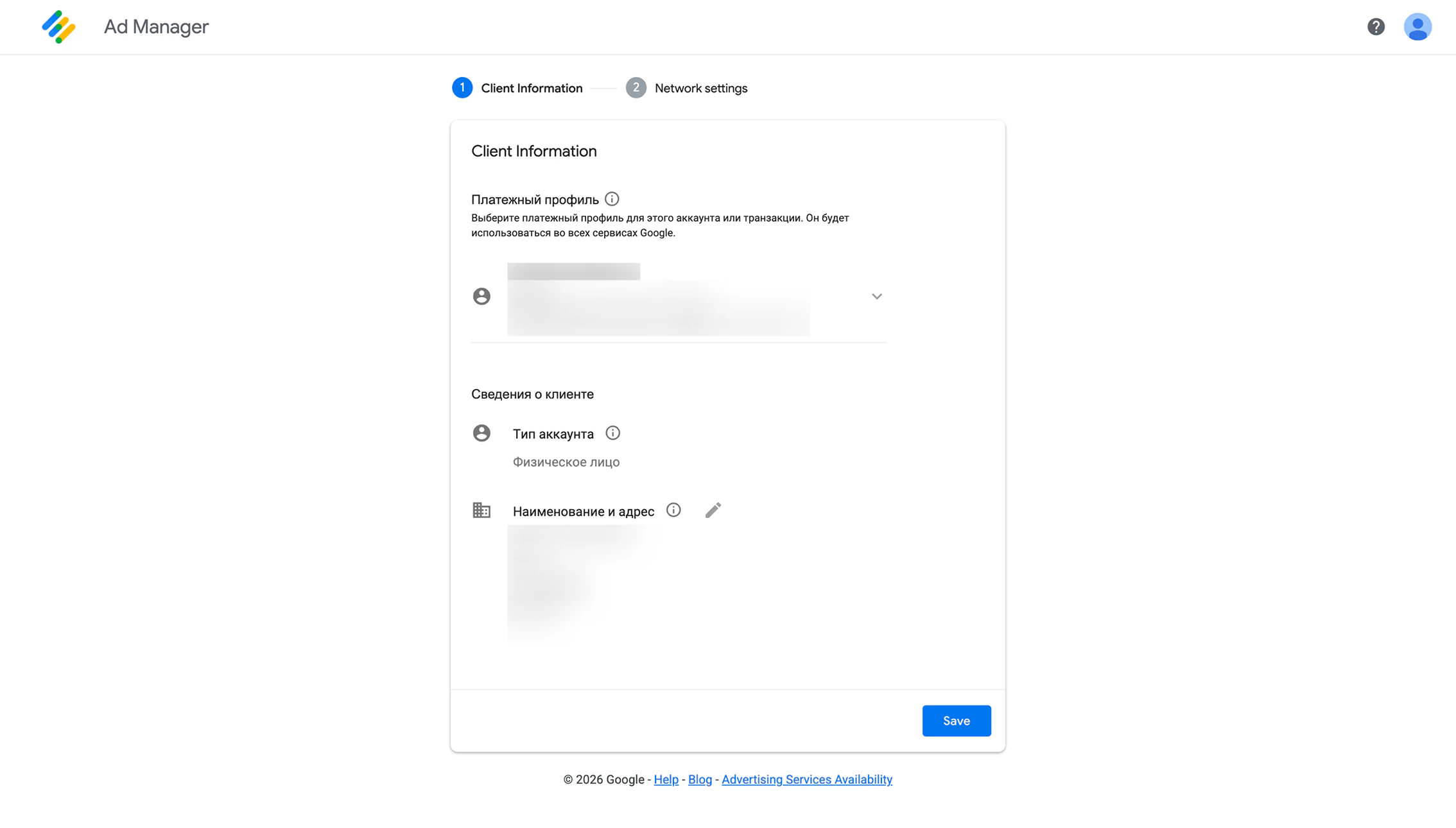
- Confirm whether your account is set as individual or business
- Make sure your billing name and address are correct
- Edit any incorrect information directly in this step
3
Set your network settings
Fill in the following details: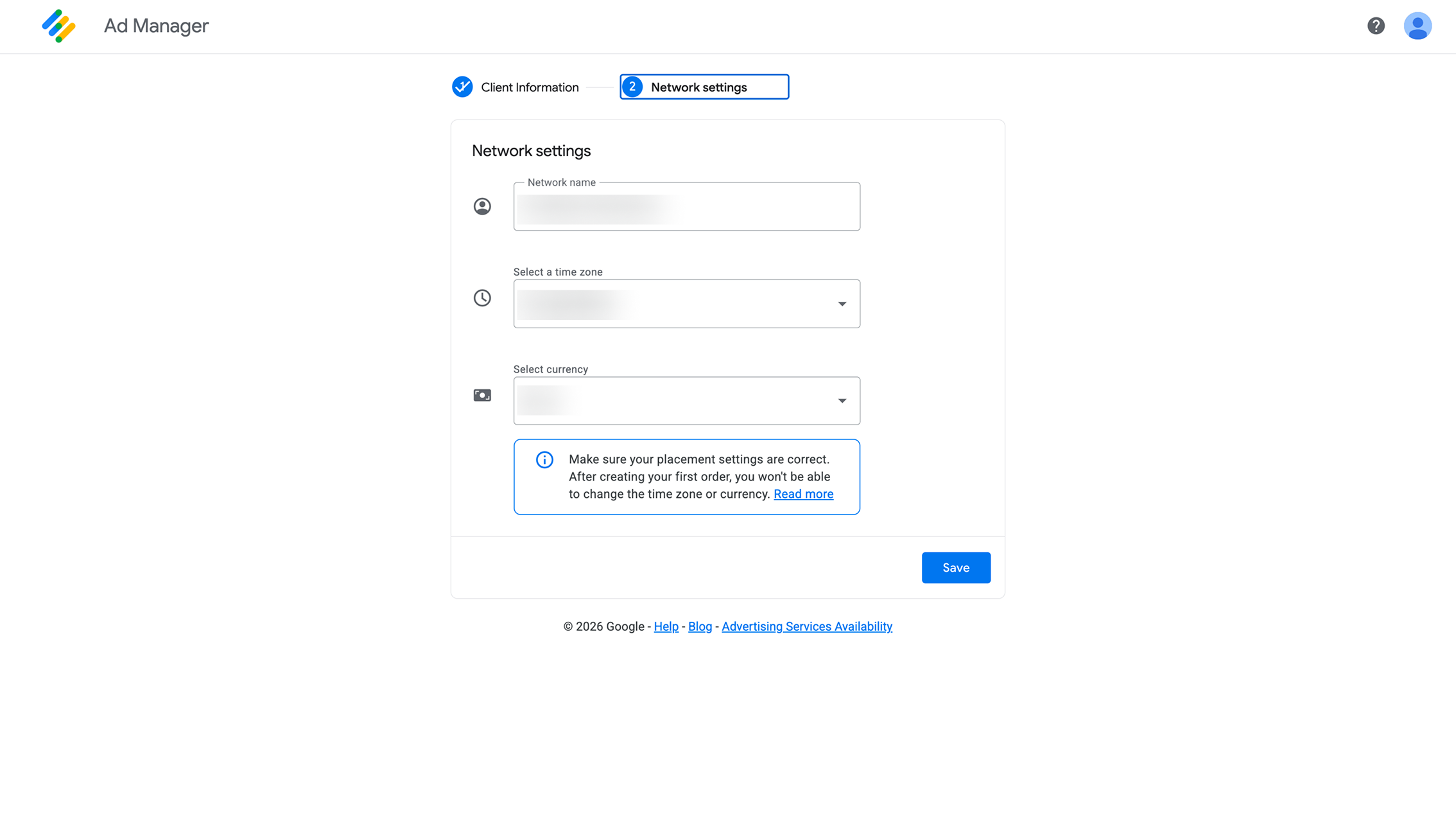
- Network name - Your company or website name
- Time zone - Select your primary operating time zone.
- Currency - Choose your preferred currency for reporting and payments
4
Wait for account verification
Google will review your account information before activating your account.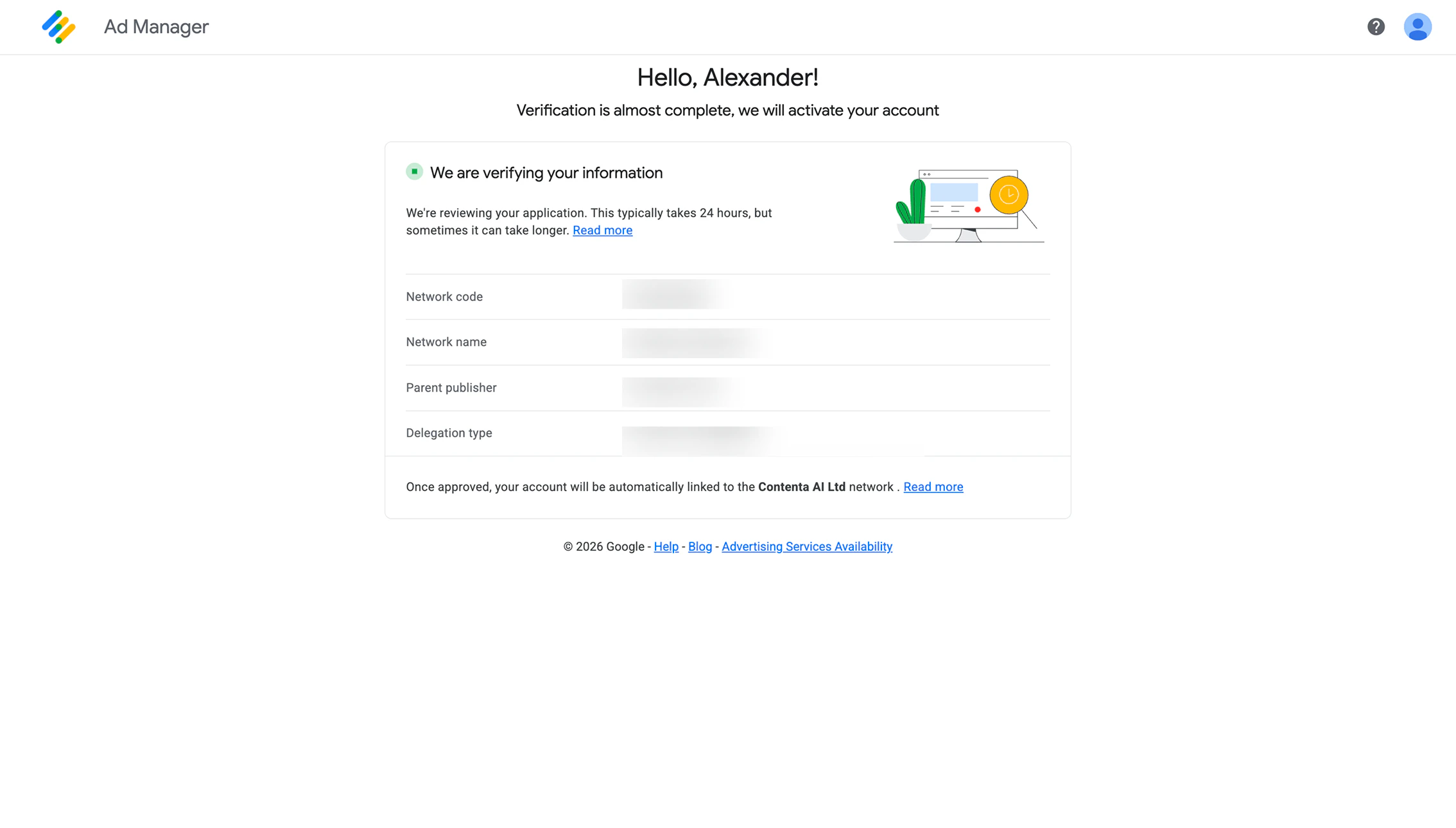
- This usually takes up to 24 hours
- In some cases, it may take longer
Before you go
To start displaying ads, your website must meet the following requirements:- Live and accessible - Your site must be publicly available (including a valid ads.txt file)
- Sufficient content - Your site must contain enough content to qualify for ad serving
- Policy compliance - Your site must meet the Google Publisher Policies
Have a question not covered here? Email the Contenta AI support team at support@contenta.ai